
Google Gemini 3 and Antigravity: Next-Level AI for Designers and Developers
November 19, 2025
Indian Tejas Fighter Jet Crashes at Dubai Air Show — Pilot Dies
November 21, 2025
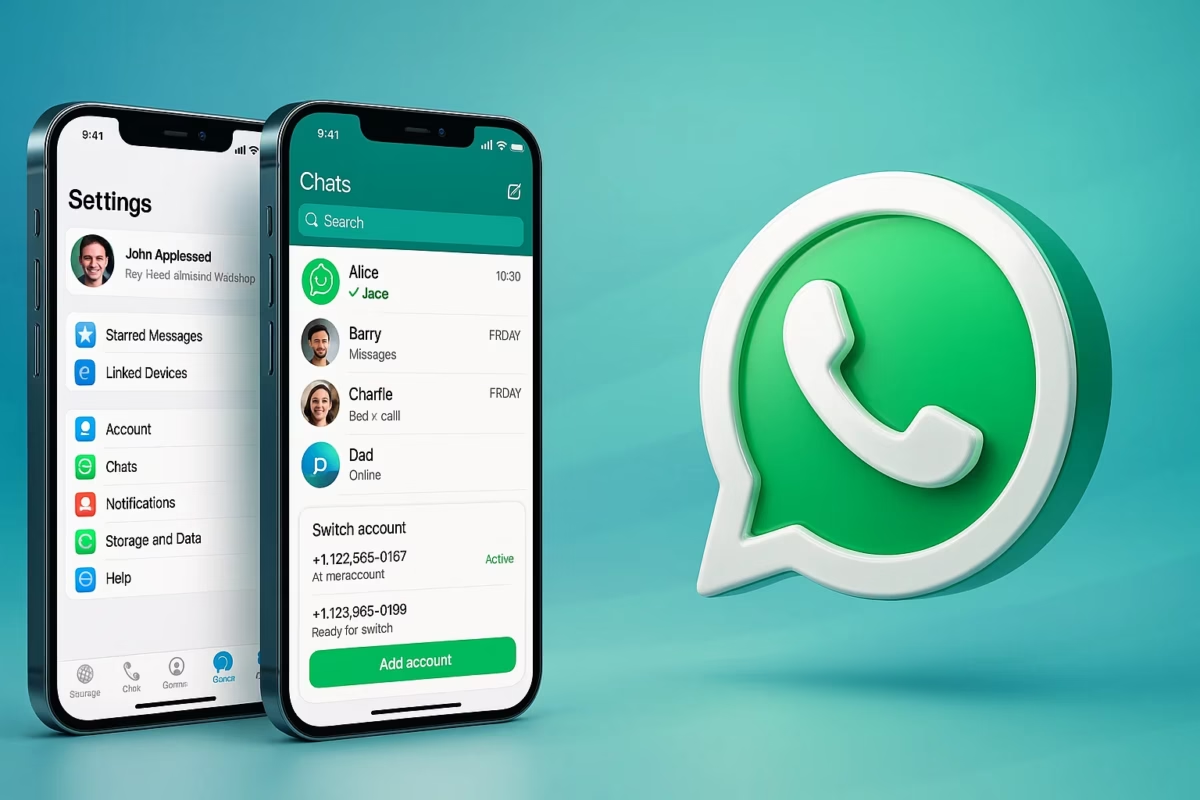
WhatsApp’s New iOS Beta Brings Dual-Account Support to iPhone Users
WhatsApp is finally bringing a long-awaited feature to iPhone users — the ability to use two WhatsApp accounts on the same device. According to newly released iOS beta updates reported by TechWeez, MacRumors, and Business Standard, selected testers can now activate and manage multiple WhatsApp accounts directly from WhatsApp Settings.
This move aligns WhatsApp for iOS with Android, where multi-account support arrived earlier. Now, iPhone users will no longer need workarounds like WhatsApp Business, dual-SIM tricks, or third-party clones. Everything is being integrated natively inside the app.
📝 WhatsApp beta for iOS 25.34.10.72: what's new?
— WABetaInfo (@WABetaInfo) November 18, 2025
WhatsApp is rolling out a feature that allows users to manage and use multiple accounts on the same device, and it's available to some beta testers!
Earlier updates may also include this feature.https://t.co/HhlBvICRTV pic.twitter.com/olpbNhELNv
Where the Feature Appears in the New Beta
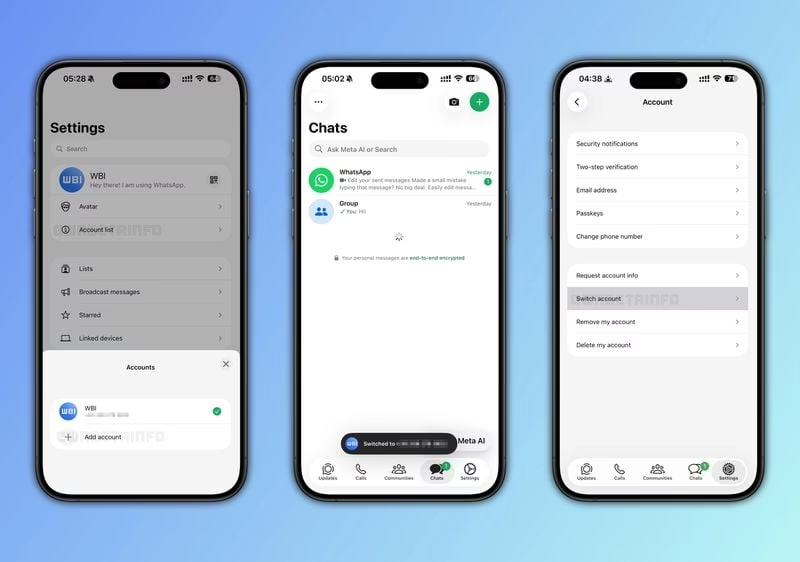
The new multiple account feature has been spotted in the WhatsApp Settings > Account section, where testers now see an option labeled:
“Add Account”
With this, users can:
Log in with a second phone number
Switch accounts instantly
Manage chats separately
Keep notifications organized for both accounts
This rollout is currently available to a limited group of TestFlight beta users, but a wider release is expected soon if testing goes smoothly.
Why This Update Matters for iPhone Users
For years, iPhone users struggled with the limitation of one WhatsApp account per device. Professionals, freelancers, small business owners, and digital marketers often wanted to keep their personal and business conversations separate — but Apple’s ecosystem did not support cloning apps.
Now, WhatsApp is removing that restriction, allowing iPhone users to:
Maintain two accounts (e.g., personal + business)
Quickly switch between them
Avoid using multiple devices
Improve privacy and workflow organization
This feature brings WhatsApp for iOS closer to Telegram, Messenger, and other messaging apps that already support dual accounts.
How Two WhatsApp Accounts Work on iPhone (According to Beta Reports)
Here’s how the new functionality is expected to behave:
1. Add a Second Account
Users can add a second WhatsApp account using:
A different phone number
A separate SIM
eSIM numbers
VoIP services (if supported in your region)
2. Switch Seamlessly Between Accounts
A simple toggle inside the app allows switching without logging out.
3. Independent Chat Backup & Settings
Each account maintains:
Its own chat history
Notification preferences
Linked devices
Privacy settings
Security Boost: WhatsApp Encourages Two-Step Verification
Alongside multi-account support, WhatsApp continues to push Two-Step Verification, one of its core security layers.
Benefits of WhatsApp Two-Step Verification
Stops unauthorized logins
Prevents SIM-swap hijacking
Adds a security PIN required during setup
Protects backup restoration
Makes business and personal accounts safer, especially when using both on one device
This is especially important when users manage two accounts on a single iPhone, as it protects sensitive business communications.
Why WhatsApp Is Expanding Multi-Account Features
The rise of:
Remote work
Freelancing
Online businesses
Digital customer service
Social media agencies
…has created higher demand for people needing two WhatsApp accounts on one device. Meta is clearly responding to market trends: managing work and personal communication separately is now essential for productivity.
The new iOS beta reflects this shift.
Industry Response & User Reactions
Early reactions from iPhone users online — particularly on X (Twitter) — show excitement and approval.
Some common sentiments include:
Relief over not using WhatsApp Business for dual accounts
Happiness about less device-clutter
Requests for better profile switching animations
Questions about WhatsApp Web linking per account
As the feature expands, these insights may shape the final stable release.
What Happens Next?
If beta testing succeeds, WhatsApp will likely roll out this feature to:
All TestFlight beta members
App Store users globally
Possible release window: within the next few months.
More enhancements expected include:
Multi-profile notifications
Improved chat filters
Better multi-device support
How to Enable Dual WhatsApp Accounts on iPhone (Once Public Release Rolls Out)
Update WhatsApp from the App Store
Go to Settings > Account
Tap Add Account
Enter your second number
Verify using SMS or call
Set profile details
Switch accounts anytime via Settings
Final Thoughts
The introduction of dual-account support for iPhone marks a major milestone for WhatsApp. It aligns with modern communication needs, enhances user freedom, and supports both personal and professional use cases. With this update, WhatsApp strengthens its place as the leading global messaging platform — now with even more flexibility for iOS users.
As the feature moves from beta to full release, iPhone owners can look forward to a smoother, more productive messaging experience without juggling multiple devices or apps.
Don’t Miss the Next Big Update
Get the Latest Tech Alerts Instantly Master in Design delivers real-time updates on mobile apps, AI, and digital trends.
If you love fast, accurate tech news — you’re in the right place.