PAA Extends Airspace Ban for Indian Aircraft Until May 24, 2026
April 21, 2026
US-Iran Hormuz Standoff: Global Oil Prices Surge Ahead of Ceasefire Expiry
April 22, 2026
Panasonic Creates Device-Locked QR Codes to Speed Facial Biometric Capture
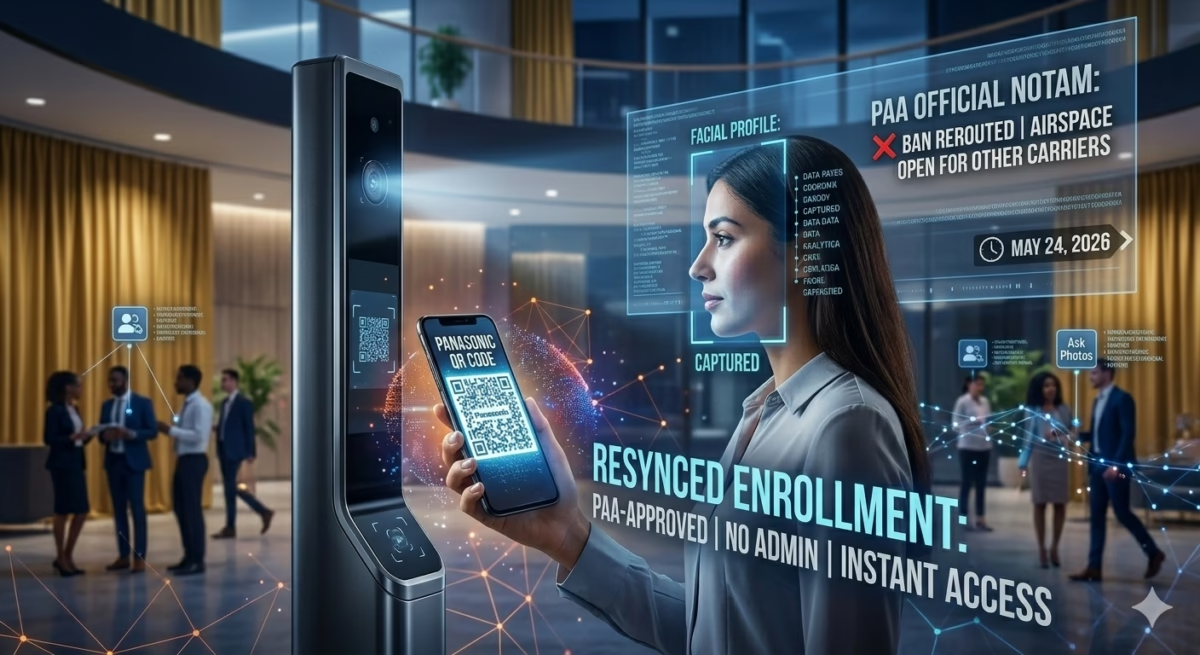
Japanese industrial giant Panasonic has unveiled a breakthrough in access control technology: a “device-locked” QR code designed to streamline the enrollment of facial biometrics. Announced on April 20, 2026, as an update to its “Site Management Service,” this new system aims to eliminate the long queues and administrative bottlenecks traditionally associated with setting up facial recognition security in corporate and industrial environments.
By using a specialized Panasonic QR code, the company allows users to self-enroll their biometric data securely without the need for an administrator to manually capture and verify every individual’s photograph.
Solving the Biometric Enrollment Bottleneck
Facial recognition is increasingly common in high-security buildings, but the initial “onboarding” process is often a logistical nightmare. Traditionally, employees or visitors must wait for a trained administrator to take a high-quality headshot, which is then assessed for lighting and clarity before being uploaded to a database.
The new Panasonic system flips this process. Users are issued a unique QR code containing encrypted registration information. When they arrive at the site, they present this Panasonic QR code to the access control hardware. The built-in camera scans the code, verifies the user’s authorization, and then automatically triggers a high-speed facial scan to complete the enrollment.
Enhanced Security: The Device-Locked Advantage
Standard QR codes are inherently risky in security settings because they can be easily photographed and shared. Panasonic has addressed this by developing a patented display method that makes the QR code “indistinguishable” to unauthorized readers.
Unlike a common password show by QR code system found in consumer devices, Panasonic’s version only works within “authorized environments” and on designated hardware. This ensures that even if a QR code is intercepted, it cannot be used by a third party on a standard smartphone or a different building’s security system. This level of encryption is a significant step forward for digital identity safety, particularly in sensitive regions where Pakistan QR code adoption and similar regional standards are becoming more prevalent in government and corporate sectors.
Troubleshooting Legacy Panasonic Devices
While Panasonic pushes forward with advanced biometric tech, many users still rely on legacy hardware and often face basic lock-out issues. Whether you are dealing with a business telephone system or a home unit, understanding the hardware’s limitations is key.
How to Unlock Panasonic Telephone and Dial Locks
If you find your older hardware is restricted, common queries like how to unlock Panasonic phone dial lock or how to unlock Panasonic telephone set often lead to system-specific reset codes.
- For Cordless Units: Accessing the Panasonic cordless phone setting menu usually requires a system PIN (default is often 0000).
- For Landlines: If you need to know how to unlock Panasonic landline phone models or business sets, you typically need to enter the “Program” mode to clear the “Dial Lock” feature.
- Dial Lock Removal: On many models, pressing the “Line/Function” key followed by the “Dial Lock” code and the system PIN will restore full calling capabilities.
[Image showing a close-up of a classic Panasonic landline keypad with the ‘Program’ and ‘Flash’ buttons highlighted]
The Future of Digital Identity
This innovation follows Panasonic’s recent collaboration with Hitachi to create a secure digital identity framework. By moving toward device-locked biometrics, Panasonic is positioning itself as a leader in “unattended enrollment,” where security can be maintained at scale without human intervention.
Frequently Asked Questions (FAQs)
What is a device-locked Panasonic QR code?
It is a specialized QR code that can only be read by authorized Panasonic security hardware. It contains encrypted data used to securely enroll a person’s face into a biometric database.
Can I use a regular QR scanner to read these codes?
No. Panasonic’s patented display and encryption method ensure that the registration information is indistinguishable to standard smartphone scanners or third-party readers.
How do I fix a Panasonic phone dial lock?
To unlock a Panasonic telephone set, you usually need the 4-digit system PIN. Navigate to the “Dial Lock” setting in the menu, enter the PIN, and select “Off.” If you’ve forgotten the PIN, a factory reset via the “Program” mode may be necessary.
How to unlock a Panasonic cordless phone?
Enter the handset settings menu, look for “Call Restrict” or “Dial Lock,” and enter your PIN to disable the restriction. Default PINs are usually 0000 or 1234.
Is this technology available in Pakistan?
While the technology was announced globally from Japan, it is expected to be rolled out to international markets, including Pakistan, through Panasonic’s industrial and site management partners as part of modernizing regional security infrastructure.
Elevate Your Brand with MasterInDesign 🚀
Don’t let your business get left behind in today’s fast-paced digital world. At MasterInDesign, we specialize in helping brands stand out, engage audiences, and grow online.
Take the next step toward digital excellence. Contact us today and transform your brand into a powerful online presence