GPT-OSS x NVIDIA Collaboration
August 6, 2025
OpenAI Launch GPT-5: A Game-Changing Leap Toward AI Integration
August 8, 2025

In today’s fast-scrolling digital world, capturing attention on social media is tougher than ever. With millions of posts shared every minute, your content needs to stand out instantly. Whether you’re a seasoned designer or just starting out, using the right graphic design tips can make all the difference in your content’s performance.
Here’s a practical guide packed with expert graphic design tips to help you create scroll-stopping social media graphics that engage, inform, and convert.
Start with a Clear Visual Hierarchy
One of the essential graphic design tips is to organize your content with a visual hierarchy. Headlines should be bold and readable. Use font sizes, weights, and contrast to guide your audience’s eye.
Use Consistent Branding
Among the most valuable graphic design tips for businesses, maintaining consistent branding ensures your audience recognizes your content instantly. Use your brand fonts, colors, and logo in every design.
Incorporate High-Quality Visuals
A simple but powerful graphic design tip is to never compromise on image quality. High-resolution visuals make your posts look professional and trustworthy.
Design with Psychology in Mind
One of the underrated yet effective graphic design tips is to understand color psychology. Each color evokes different emotions—use them wisely to strengthen your message.
Use Contrasting Colors
Among quick graphic design tips for beginners, contrast is key. It ensures your message is readable and grabs attention.
Design for Mobile First
Here’s a modern graphic design tip: Design with the mobile user in mind. Most social media content is viewed on phones, so make your designs clean, bold, and vertical.
Add Motion or Animation
Modern graphic design tips often include using motion. Subtle animations or GIFs can significantly increase engagement on platforms like Instagram or Facebook.
Use Grids and Alignment
Among the technical graphic design tips, always use grids. Proper alignment creates visual balance and improves the overall look of your post.
Keep It Simple and Focused
A golden graphic design tip: Don’t overcrowd. Stick to one core message per design. Clarity = better results.
Test and Analyze Your Designs
One of the most result-driven graphic design tips is to A/B test your content. Learn what works best and refine your strategy accordingly.
Graphic Design Tools
Adobe Photoshop
Use: Photo editing, digital painting, compositing, social media graphics
Why: Industry standard for raster graphics and photo manipulation
Adobe Illustrator
Use: Logo design, vector illustrations, icons, typography
Why: Best tool for creating scalable vector design
Canva
Use: Social media posts, presentations, flyers, resumes
Why: Drag-and-drop interface, beginner-friendly, templates available
Figma
Use: UI/UX design, prototyping, wireframing
Why: Cloud-based, great for team collaboration
Adobe InDesign
Use: Magazines, brochures, reports, eBooks
Why: Best for layout-heavy print and digital publishing
Bonus Tools
Remove.bg: For removing image backgrounds instantly
Coolors.co: For generating color palettes
Unsplash / Pexels / Pixabay: Royalty-free image sources
Google Fonts / Adobe Fonts: For free and premium font libraries
Get Your Designs Done with the Best Tools – Only at Master in Design
Looking to elevate your brand’s visual identity? Whether you need eye-catching social media posts, professional logos, or a complete brand kit – Master in Design is your one-stop solution. We use industry-leading graphic design tools to ensure your visuals are clean, creative, and conversion-focused.
Why Choose Master in Design?
✅ Creative Professionals: We’re not just tool users – we’re design thinkers.
✅ Customized Designs: Every graphic is tailored to YOUR audience and goals.
✅ Fast Turnaround: Deadlines matter. We deliver without compromising quality.
✅ Daily Social Media Posts: Stay consistent and visible with our daily design service.
✅ Affordable Pricing: Get agency-quality work without breaking the bank.
Let the Tools Work for You
Don’t worry about learning complex design software – Master in Design handles all the tools, trends, and techniques for you. You just bring the idea, and we’ll turn it into visual reality
Showcasing Our Work
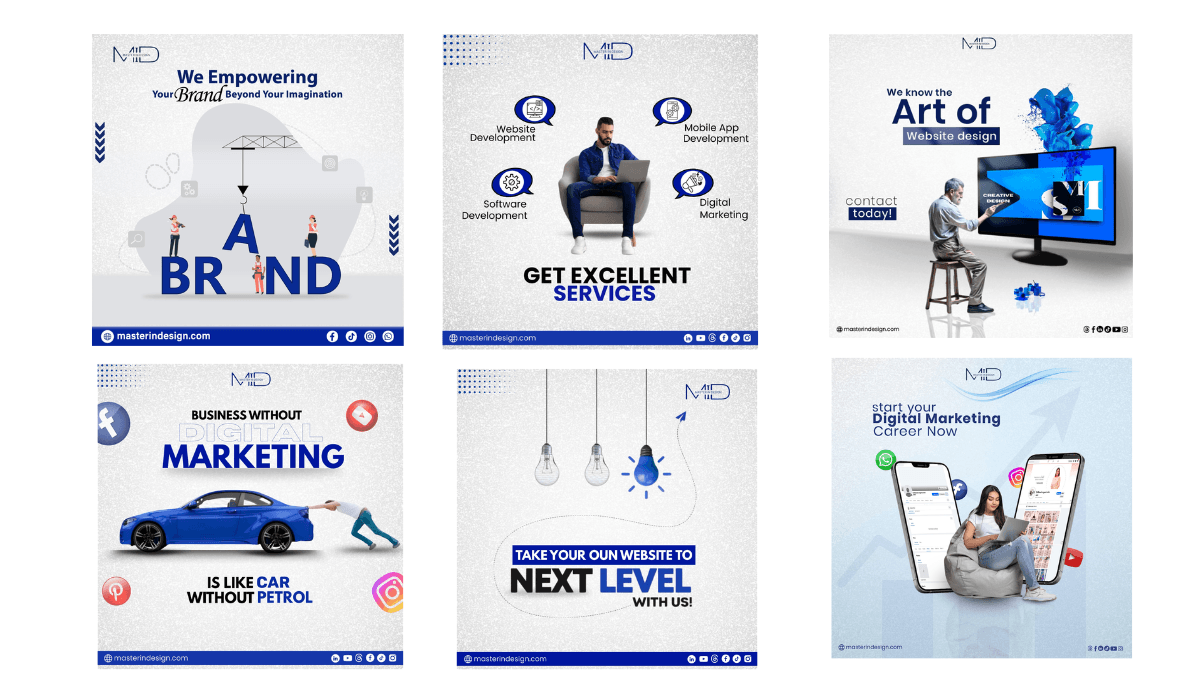
At Master in Design, we use tools like Photoshop, Illustrator & Canva to craft creative, scroll-stopping designs every day.
📞 Ready to Get Started?
Message us now and get your first scroll-stopping graphic delivered within 24 hours!
Let’s build a visually strong brand together – with Master in Design.
📩 Contact Now: masterindesign.com
📧 Email: info@masterindesign.com
📞 Call/WhatsApp: +92-311-2579659