Google Announces Largest-Ever Investment Plan for Germany — What It Means for Tech & Infrastructure
November 7, 2025
iPhone Pocket by Apple & ISSEY MIYAKE – Stylish iPhone Pocket Cover & Holder
November 11, 2025
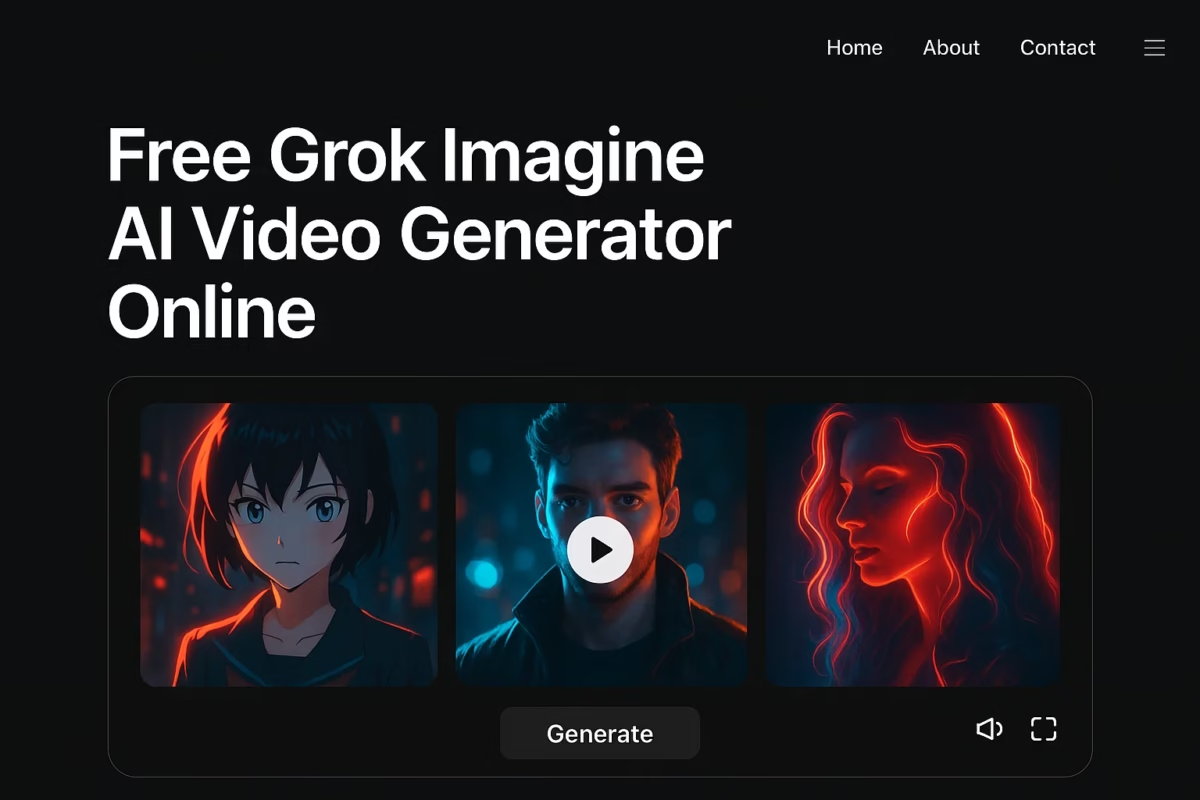
Create Free AI Videos with Spicy Mode & Auto‑Sync Audio on GrokImagineAI
The explosion of AI video generation is changing everything about how creators work. Video production once demanded cameras, crews and heavy editing. Now a new breed of tools transforms simple prompts or images into full‑blown video clips. Among these tools stands the web‑based platform Grok Imagine (via GrokImagineAI.com). It offers users a truly free path into video creation: upload an image or type a text prompt, hit generate, pick a style, and watch your idea come alive—with synchronized audio and high‑impact visuals.
What this AI video generator is
Grok Imagine comes from the team behind the larger Grok AI suite, built under visionary leadership. It turns text descriptions or uploaded images into dynamic video output. The platform boasts two main modes: text‑to‑video and image‑to‑video (I2V). In either case the AI handles rendering, transitions, audio syncing and style effects. That means even a creator without deep video editing skills can produce something polished, fast and creative.
Why this matters for content creators
Here’s why an AI video generator such as Grok Imagine is a game‑changer:
Speed: Traditional video workflows take hours or days. With AI you type a prompt, pick a style, and generate within minutes.
Accessibility: No camera set‑ups, no lighting crews, no complex editing timelines. This levels the playing field for smaller creators.
Flexibility: Use it to craft marketing videos, social media clips, product demos or educational content. The same tool works for many use‑cases.
Audio synchronisation built in: Many AI video tools still struggle with matching sound to visuals. Grok Imagine handles background music, voice‑overs and effects automatically, which gives the final result a more professional feel.
Key features you get
Text‑to‑video generation: Enter a descriptive prompt and the tool creates a visual sequence that matches. You don’t need to film anything.
Image‑to‑video (I2V): Upload a still image and let the AI animate it: motion, transitions, camera shifts, stylised effects. Perfect when you only have a photo but need a video clip.
Spicy Mode: This is a standout feature. If you want extra visual flair—rich colours, strong special effects, cinematic moments—Spicy Mode gives the punch. The result is more eye‑catching, ideal for social share or promotion.
Audio Sync: The platform doesn’t leave sound as an afterthought. Music, voice or effects are aligned with the visuals. That means less manual tweaking and quicker finish.
Customisable styling: Choose the visual aesthetic, motion tempo, audio tone and output aspect ratio (for example for Instagram reels, TikTok, or YouTube).
How to use it step‑by‑step
1. Go to GrokImagineAI.com and select the video generator.
2.Enter your prompt (“a futuristic city skyline at dawn with flying drones”) or upload an image you want animated.
3.Optionally enable Spicy Mode and pick your style preferences: bold colour, cinematic camera motion, audio mood. Adjust aspect ratio if needed.
4.Click “Generate”. The AI processes your input and builds the video plus sound.
5.Preview the result. If happy, download and share. If you want tweaks, modify prompt or settings and regenerate.
The creative possibilities
For marketers: Turn simple ad copy into a video ad without hiring a production team.
For educators: Make animated explainer clips from text or diagrams.
For social media creators: Generate eye‑catching short videos fast, push out more content with less effort.
For product demos: Animate a static product image into a motion clip showing features, zooms, effects.
Even for storytellers: Craft short animated scenes from descriptive prompts, add style, music, dramatic flair.
Why this AI video generator leads the pack
The broader category of AI video tools has advanced quickly. Analysts note that modern AI video generators empower creators to scale video production without losing quality.
Grok Imagine’s support for both text‑to‑video and image‑to‑video, along with audio sync and Spicy Mode styling, gives it an edge in terms of flexibility and creative control.
Free‑to‑start access also matters: many tools charge early or limit features heavily.
The barrier to entry is low: you don’t need to be a video editor to use this. That means faster adoption and experimentation.
Things to be aware of
While the tool is free, certain advanced features or high‑resolution exports may require upgrades (check the site for latest pricing or limits).
The output quality depends heavily on your prompt or image: clearer, more descriptive input leads to better results.
Unique styling like Spicy Mode may produce dramatic visuals—but if you need something very subtle and corporate, you might need to tweak settings accordingly.
Even though audio is synced automatically, always preview and ensure the voice, music or effects align with the message and timing you want.
Licensing/licensing terms: Make sure you have rights if uploading any branded images. Check whether the generated video is cleared for commercial use if you need it.
The future of video creation with AI
As AI video generator technology evolves, expect these trends:
A. More robust customization: finer control over camera moves, shot composition, character movement, scene changes.
B. Longer video lengths and higher resolution output.
C. Improved realism in motion, lip sync, physics and audio‑visual cohesion.
D. Greater integration with social platforms: export to reels, stories, vertical formats, auto‑optimised.
E. Cost reductions and free tiers expanding, making high‑quality video creation accessible to almost anyone.
For creators using Grok Imagine, today the focus is on rapid creation and creative freedom. Tomorrow, it will be on refining how the video supports the message, brand and viewer experience. Use the tool now to experiment, iterate and push your creative boundaries.
Final Thoughts
If you’re looking to elevate your content game without the overhead of full video production, try out Grok Imagine. This AI video generator allows you to turn a text idea or static image into a polished video clip—with synchronized audio and a flashy Spicy Mode effect. The future of video creation is here, and it’s fast, accessible and surprisingly powerful.
Pick your prompt, enable the style you want, hit generate—and you’ll have a share‑ready video in minutes. For creators, marketers and educators alike, this kind of tool opens up a new world of visual storytelling.
Embrace the simplicity, explore the features, and let your ideas move. Your next video is just a prompt away with GrokImagineAI.com.
Stay Updated & Boost Your Brand with MasterInDesign
Get daily informative updates and expert guidance for your brand. Whether you need a new website, higher Google rankings, a quality logo, or the best business consulting, we’ve got you covered.
Click the button below, fill out the form, and submit. Our team at MasterInDesign.com will reach out to you personally. Don’t worry—help is just a click away!