Gold Price in Pakistan Today – March 24, 2026 | 24K, 22K, 21K Rates Per Tola
March 24, 2026
Moana Live-Action Remake Backlash: Dwayne Johnson as Maui
March 25, 2026
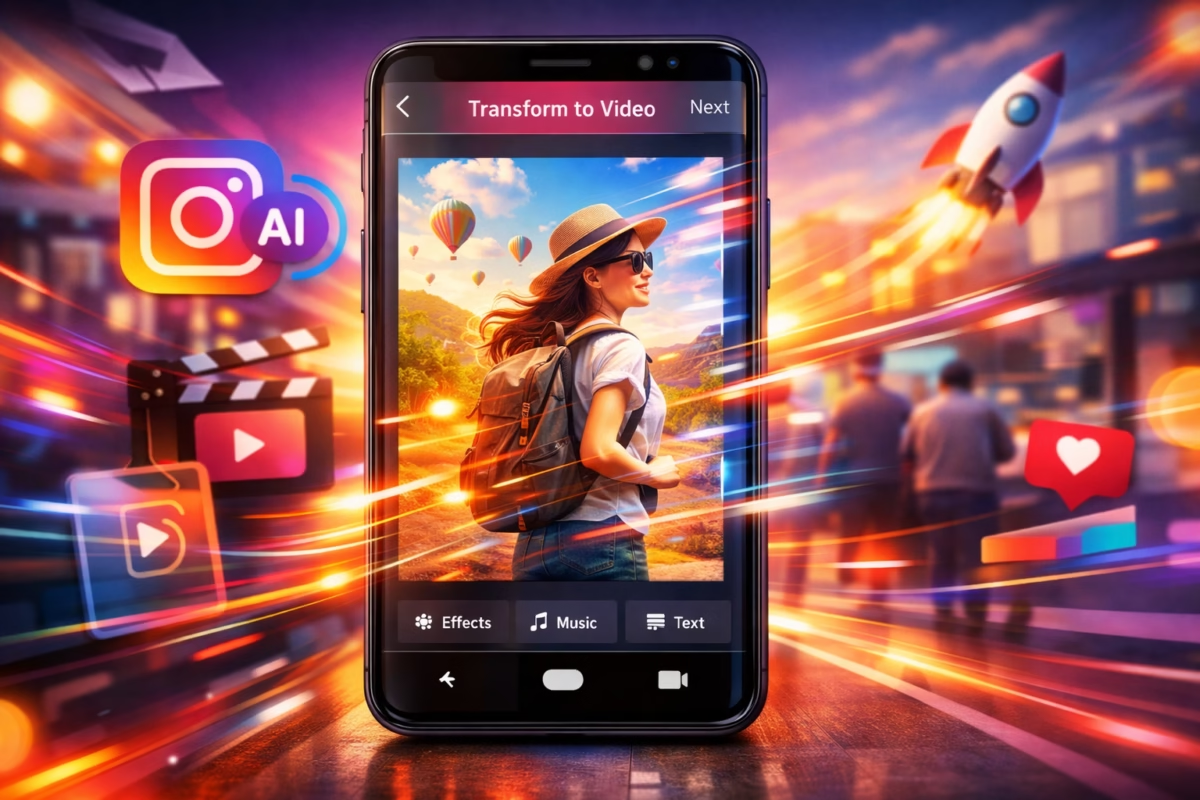
Instagram AI Photo to Video Tool Set to Transform Stories Experience
Instagram is rolling out a major update that is set to change the way people create content. A brand‑new AI photo‑to‑video tool promises to help users turn still photos into dynamic, eye‑catching videos — directly within Instagram’s interface. This new feature builds on the platform’s existing suite of creative tools, especially for Stories and Reels, and aims to make content creation faster, easier, and more fun — even for people with no editing experience.
Many content creators, social media enthusiasts, and everyday users are already excited about how this tool could transform posts and Stories by making them more interactive, engaging, and visually appealing.
Let’s break down what this new AI tool does, why it matters, and how it could change the future of Instagram posting.
What Is the Instagram AI Photo to Video Tool?
At its core, this is an artificial intelligence‑powered tool that can take a simple photo and turn it into a moving video clip. Instead of uploading a static image, users can now generate a short video that adds motion, depth, and cinematic effects — all through the AI system built into Instagram.
Here’s how it works in simple terms:
- You choose a photo from your camera roll or Instagram gallery.
- The AI analyzes the image’s contents — people, objects, backgrounds, lighting, and composition.
- With a single tap, the tool creates a short, dynamic video from that image, adding realistic motion effects and transitions.
The end result looks like a seamless video that moves, flows, and feels alive — even though it started from a still photograph.
Why This Tool Is a Big Deal for Instagram Creators
📈 1. Boosts Engagement
Static photos can only go so far in grabbing attention. Videos, on the other hand, are more likely to stop someone mid‑scroll and generate likes, comments, and shares. By turning images into videos instantly, users can boost engagement without needing extra apps or editing skills.
🎨 2. Makes Content Creation Easier
Previously, creators looking to produce animated visuals had to use third‑party apps or editing software — often with complicated steps or subscriptions. Now, everything can be done inside Instagram in just a few taps. This democratizes creative tools for beginners and casual users.
🚀 3. Enhances Stories and Reels
Instagram Stories and Reels are all about attention‑grabbing, immersive content. With AI‑generated videos, Instagram users can produce more dynamic material that feels more modern and professional — giving their profiles an instant creative upgrade.
How It Compares to Other Image‑to‑Video Tools
There are already several tools that let users create motion from photos — but Instagram’s version is different because:
- It’s built directly inside the app — no need to export, upload, or re‑import content.
- It’s quick and on‑the‑spot — takes seconds instead of minutes or hours.
- It leverages Instagram’s AI to tailor videos to format requirements like Stories and Reels.
In comparison to standalone image‑to‑video AI makers or tools, this feature feels more integrated and seamless — especially for users who already spend their time on the platform.
What This Means for Social Media Strategies
For social media creators and brands, this update can be a game changer. Here’s how:
📊 Marketers and Businesses
Brands can use AI‑generated videos to create dynamic ads and Stories without hiring professional editors. This could lead to a surge of more visually rich Instagram marketing campaigns.
🎥 Influencers and Content Creators
Creators who post daily, build brand partnerships, or produce lifestyle content can generate more video material with less effort — helping them stay consistent and competitive.
🧑🎤 Everyday Instagram Users
Even casual users can create fun and memorable Stories with motion effects that were previously hard to achieve without special software.
Examples of What Users Can Do with the Tool
Here are some popular use cases people are already imagining:
- Travel photos become short cinematic clips with moving skies or flowing backgrounds.
- Portrait shots turn into animated memories with subtle motion on hair, background, or lighting.
- Event photos like birthdays or gatherings get a dynamic feel without editing software.
- Product photos for small businesses become engaging mini‑videos ideal for promotions.
The creative possibilities are wide, especially when users combine this tool with Instagram’s music, text, and effects features.
Addressing User Questions
Here are some FAQs people are already asking about the Instagram AI photo‑to‑video tool:
Q: How do I access this feature?
The tool is being rolled out gradually. Once available to your account, it will appear inside the Instagram Stories creation panel where you select media.
Q: Does this replace regular video editing?
Not entirely — but it’s a powerful shortcut for creating engaging short videos without extra apps or tools.
Q: Can I customize the AI‑generated video?
Yes. After the tool renders the video, users can add text, stickers, music, and other elements before posting.
Q: Is there a cost to use this tool?
For now, it’s included within the Instagram app and free to use as part of the Stories/Posts editor.
Q: Will this work for all types of photos?
Most images work well, especially ones with clear subjects and backgrounds. Some complex photos may be interpreted differently by the AI.
Elevate Your Brand with MasterInDesign 🚀
Don’t let your business get left behind in today’s fast-paced digital world. At MasterInDesign, we specialize in helping brands stand out, engage audiences, and grow online.
Take the next step toward digital excellence. Contact us today and transform your brand into a powerful online